CPUT Logo
Searching techniques:

Boolean Logic


Main Contents Page

About Information Literacy

STEP 1: STARTING out

STEP 2: FINDING

Information finding tools:

- Catalogue

- DDC (Dewey) system

- The Internet

- Databases (incl CD Rom)

Searching techniques:

- Boolean Logic

AND operator

OR operator

NOT operator

- Truncation/wildcards

- Phrase searching

Information sources:

- Dictionaries

- Encyclopaedias

- Atlases

- Books

- Periodicals/Journals

- Newspapers

- Audio-visual

- Internet

- Broadcast media

- Grey literature

- Conference proceedings

- Maps

- Government publications

- Standards

- Museums

- Archives

- Theses and dissertations

- Quiz

STEP 3: EVALUATE

STEP 4: Legal & ethical USE

STEP 5: COMMUNICATE


Arrow

The AND operator

You use the AND operator to combine two or more keywords/terms. When using AND, you will only retrieve information that includes both these keywords/terms. This operator will give you fewer results.

For example:

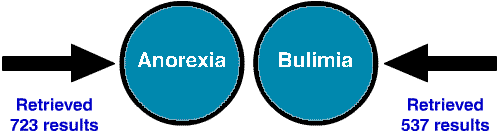
A search on the word "Anorexia" retrieved 723 results and a search on "Bulimia" retrieved 537 results.

And

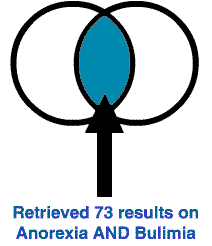
Putting the two words together like this: Anorexia AND Bulimia, you will retrieve only documents that contain both words in each document.

And1